
Video Measuring Software chapter 1 - software installation and startup
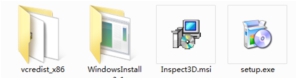
Step 2:Open the drive icon, double-click the Setup.exe file in the root directory to start the installation
Step 3:Click the "Next" button step-by-step.
Step 4:After the main program is installed, the dongle driver will be installed automatically。
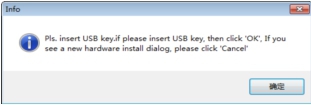
Step 5:Click the “OK”button to complete the installation。
Step 6:Click the “Close”button to exit the installation。
Step 7:According to your needs, you may also need to install the following device drivers。
① Motion controller (card) ② light source ③ Video capture card (camera)
Install the above device drivers according to its instructions or under the guidance of the equipment service personnel.
Name: Mikrosize
Mobile:0086-13918745376
Tel:0086-769-85331789
Email:mikrosize@188.com
Add:NO7 East Xingfa Road Wusha, Changan Town, Dongguan, China.
 Microsize
 Microsize