
The macro array measurement
The macro array measurement is used in the multiple fixtures measurement, You can replace the fixture without stopping the machine when the measurement of the workpieces on a fixture is finished. This function can greatly reduce the time and improve efficiency. Take the following two fixtures as an example.
Step 1: Follow the above steps of the fixture array measurement, create and save the abave two fixture array programs for abave two fixtures.
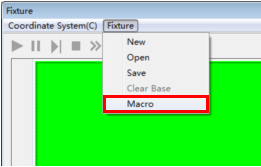
Step 2: Open the fixture window, Select the "Fixtureà Macro" menu option, click the "Add" button in the pop-up dialog box, and add the two array files that have been save in step1 to the list area.
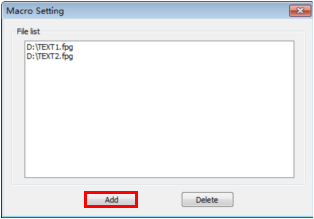
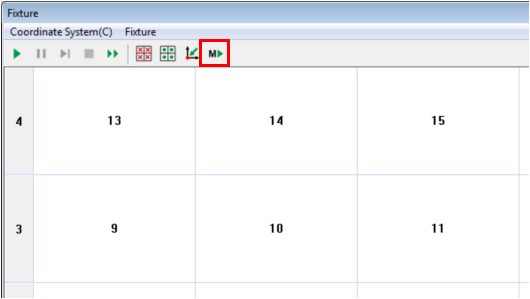
Step 3: Close the "Macro Setting" dialog box when you have finished adding the array files, click the“Run macro”button on the array toolbar. The program will control the machine to measure the workpieces on all fixtures.
Name: Mikrosize
Mobile:0086-13918745376
Tel:0086-769-85331789
Email:mikrosize@188.com
Add:NO7 East Xingfa Road Wusha, Changan Town, Dongguan, China.
 Microsize
 Microsize