
This chapter describes the software and hardware resources required for the software to run, and how to install the software.
|
OS |
Windows7 32 bit or 64 bit |
|
Processor |
i3 or better |
|
Memory |
4GB RAM or better |
|
Storage |
300MB available hard drive space |
|
Required software |
Corresponding camera driver, dongle driver |
|
Recommended software |
Microsoft office |
Step 1: Double-click the software installation package to install. It is recommended to install the software in a location other than the C drive.
Step 2: Install CodeMeter runtime environment.
Insert the dongle, double-click the desktop shortcut.
You
need to connect and turn on the hardware device before running the software.
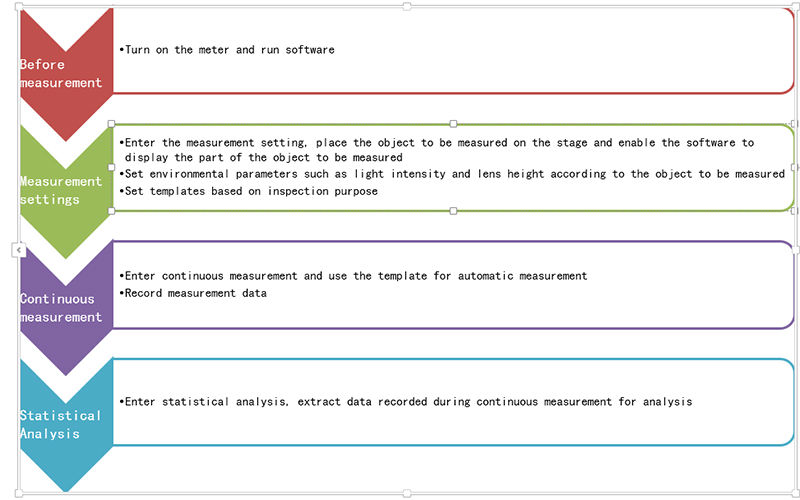
Open the software and enter the initial interface, as shown in Figure 1-1. The
software is divided into three main functions: measurement setting, continuous
measurement and statistical analysis.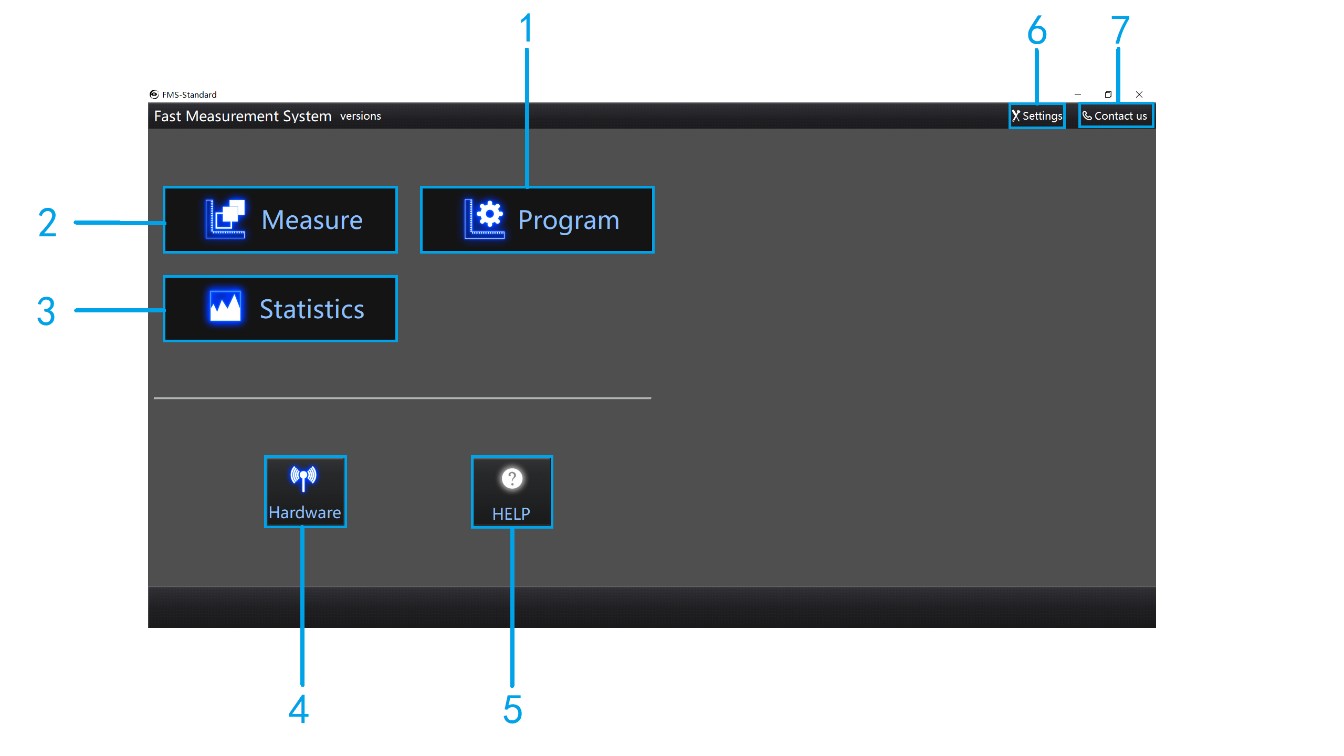
Figure 1-1
1 Measurement setting: Enter the measurement setting interface to set the measurement template. The template is used for continuous measurement.
2 Continuous measurement: Enter the continuous measurement interface, use the template to measure and record the data.
3 Statistical Analysis: Data analysis of measured results.
4 Hardware settings: Set the light, motor and IO card.
5 Help: Short description of operation.
6 System settings: System parameter setting,include language setting.
7 Contact Us
Name: Mikrosize
Mobile:0086-13918745376
Tel:0086-769-85331789
Email:mikrosize@188.com
Add:NO7 East Xingfa Road Wusha, Changan Town, Dongguan, China.
 Microsize
 Microsize