
The software supports a variety of lighting modes. The corresponding adjust operation takes effect only when the instrument is equipped with a corresponding light source and the light
source must support the corresponding lighting mode. The light source control panel is as follows:
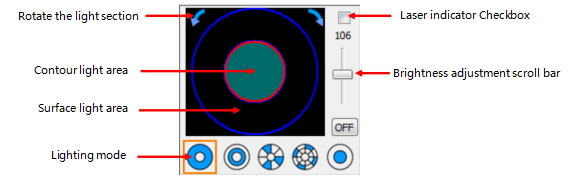
The following contents describes the brightness adjustment methods of the contour light, coaxial light, and surface light. The surface light supports the “5-ring 8-section” lighting mode.
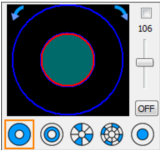
(1) Adjusting the contour light:
Select the full lighting mode
Click inside the small circle
Drag the brightness adjustment scroll bar
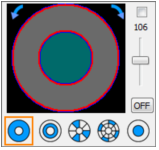
(2) Adjusting the surface light all bright:
Select the full lighting mode
Click the ring area
Drag the brightness adjustment scroll bar
(3) Adjusting coaxial light:
Select coaxial lighting mode
Drag the brightness adjustment scroll bar

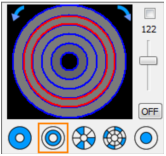
(4) Adjusting the brightness of a ring of the
surface light:
Select the ring lighting mode
Click on a ring
Drag the brightness adjustment scroll bar
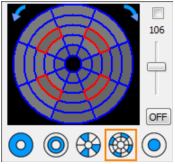
(5) Adjusting Some Sections of the surface light:
àSelect the section lighting mode
àClick some sections
àDrag the brightness adjustment scroll bar
(Note: Click the left or right arrows to turn the
selected sections clockwise or counterclockwise.)

(6) Adjust some segments of the surface light:
àSelect the section lighting mode
àClick some segments
à Drag the brightness adjustment scroll bar
(Note: Click the left or right arrows to turn the
selected segments clockwise or counterclockwise.)
Name: Mikrosize
Mobile:0086-13918745376
Tel:0086-769-85331789
Email:mikrosize@188.com
Add:NO7 East Xingfa Road Wusha, Changan Town, Dongguan, China.
 Microsize
 Microsize