
(1) The definition and use of the element construction
The element construction is to generate a new geometry element with the Existing geometry elements.
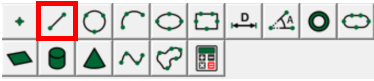
For example, generating a line with 2 Existing points, generating a circle with 3 Existing points, In additon, the element construction is often used to generate the element that can not be measured directly, such as the distance, the angle, and so on. The construction elements are usually used in some auxiliary measurements, for example, using the construction elements to establish the coordinate system. The video measuring machie element construction toolbar is as follows:
(2) The steps of the element construction
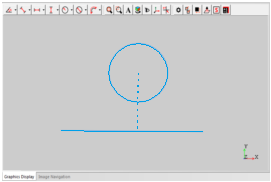
Take constructing the following vertical line from the center of the circle to the line as an example:
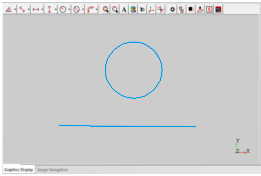
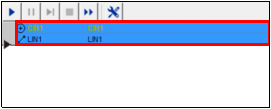
Step 1: Hold down the "ctrl" key on the keyboard, and then select all the elements to be used to construct in the element list area. (You can also select al these elements in the graphics area)
Step 2: Click the corresponding construction button on the Construction toolbar
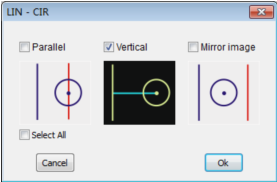
Step 3: If the video measuring machine element has a variety of construction methods, it will pop up the construction method dialog box, check the required method, then click the OK button to complete the operation.
Name: Mikrosize
Mobile:0086-13918745376
Tel:0086-769-85331789
Email:mikrosize@188.com
Add:NO7 East Xingfa Road Wusha, Changan Town, Dongguan, China.
 Microsize
 Microsize